How Many Meters of Vinyl or Banner Will This Job Use?
Enter job dimensions, quantity, and roll width to calculate automatic panel splits or multi-up nesting, exact roll meters, waste percentage, and grommet count.
END-TO-END 21 PRODUCTION MODES & WORKSHOP GUIDE
Explore all 21 workspaces—from multi-tab Photoshop-style Blank Canvas design and 3D Sign Presentation mockups to multi-page PDF board coding, Mini QR margin labeling, and direct .prt RIP screening—complete with 8-second live workflows and shop-floor dimension tables.
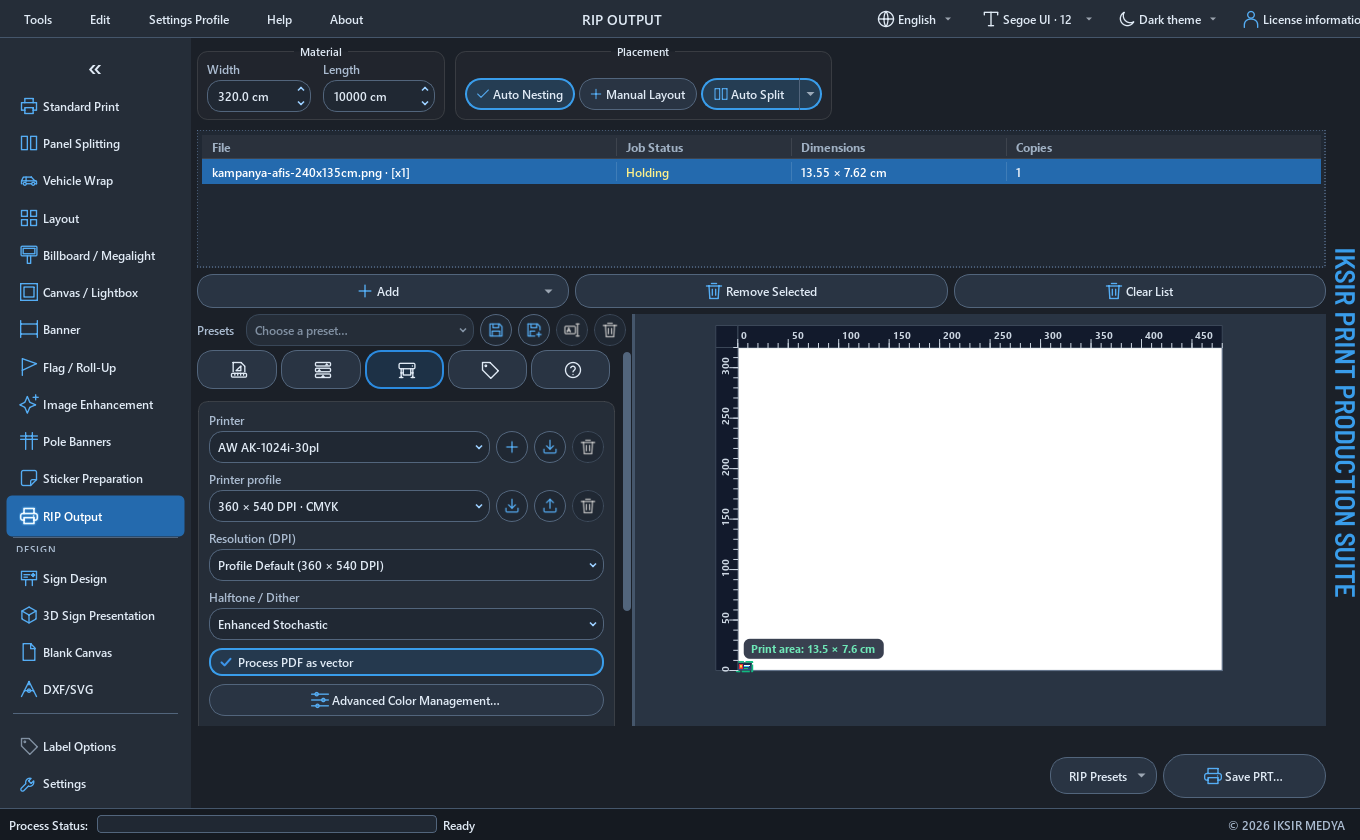
01 · BUILT-IN RIP ENGINE, MULTI-PAGE PDF & SMART QR LABELING
Go beyond pre-press prep: assign Excel board codes to multi-page campaign PDFs, print pixel-sharp Mini QR codes on margin strips, and export machine-ready .prt rasters directly.
 NEW
Generate machine-ready .prt files directly with 7 halftone/dither engines, CMYK + Lc/Lm + White + Varnish spot control, per-channel tone curves, live TAC ink inspection, and Eye-One calibration.
Detailed Mode Guide & Specs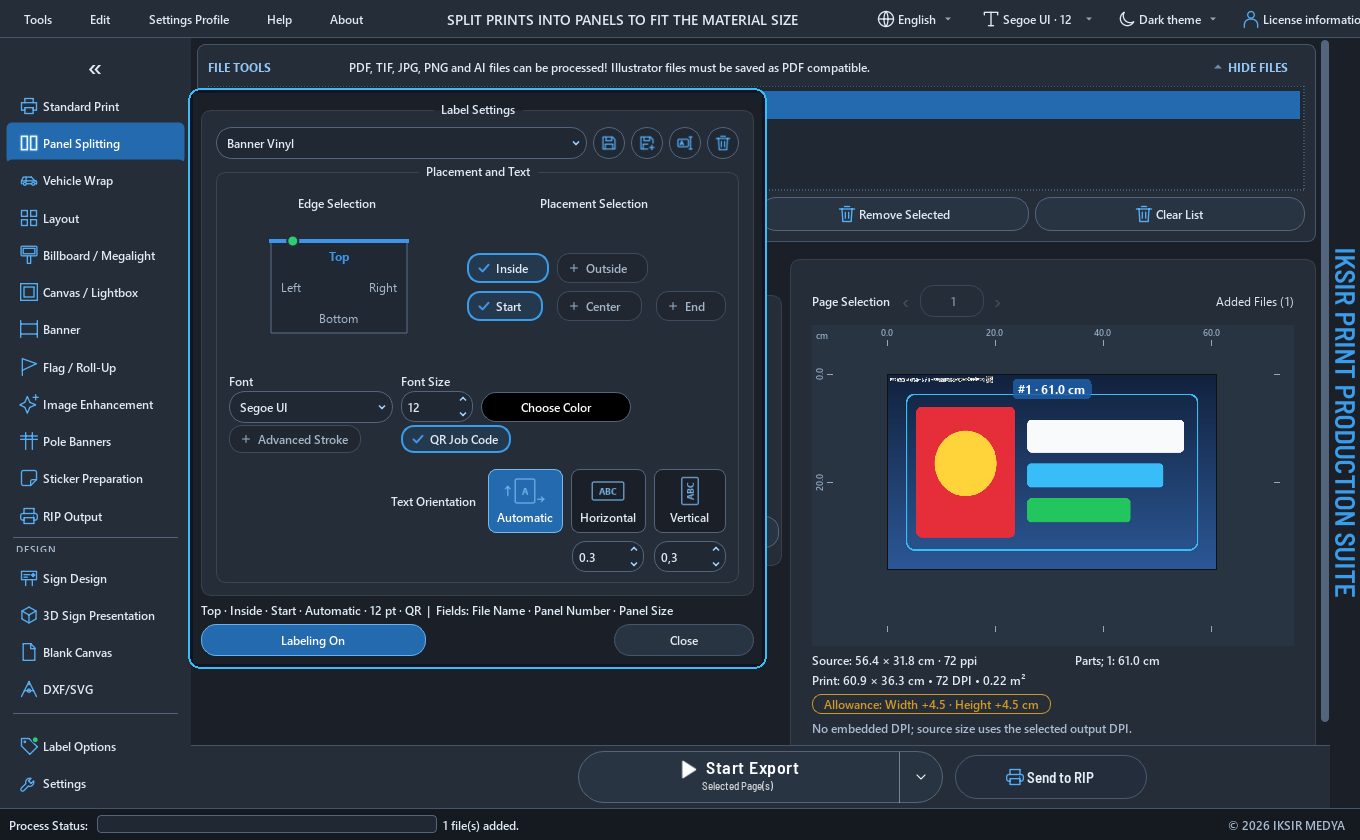 NEW
Print filename, job code, panel index (2/5), net/gross dimensions, and a crisp pixel-aligned Mini QR code on any margin edge so cutting and installation crews verify panels by phone scan.
Detailed Mode Guide & Specs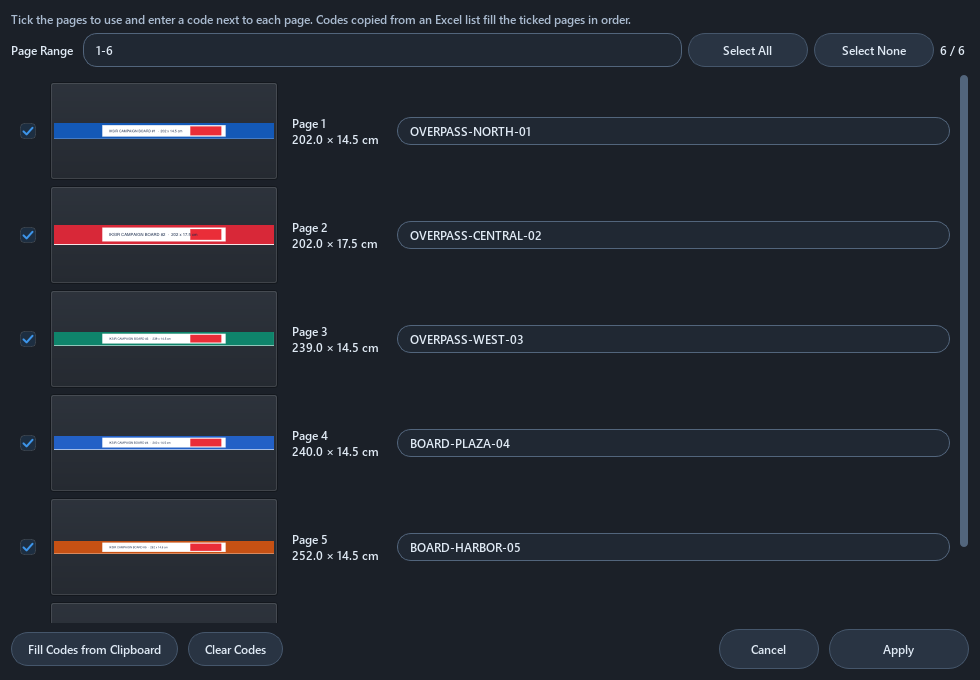 NEW
Filter specific page ranges from multi-size campaign PDFs, inspect high-res page previews with exact cm dimensions, and paste an entire column of board/branch codes straight from Excel.
Detailed Mode Guide & Specs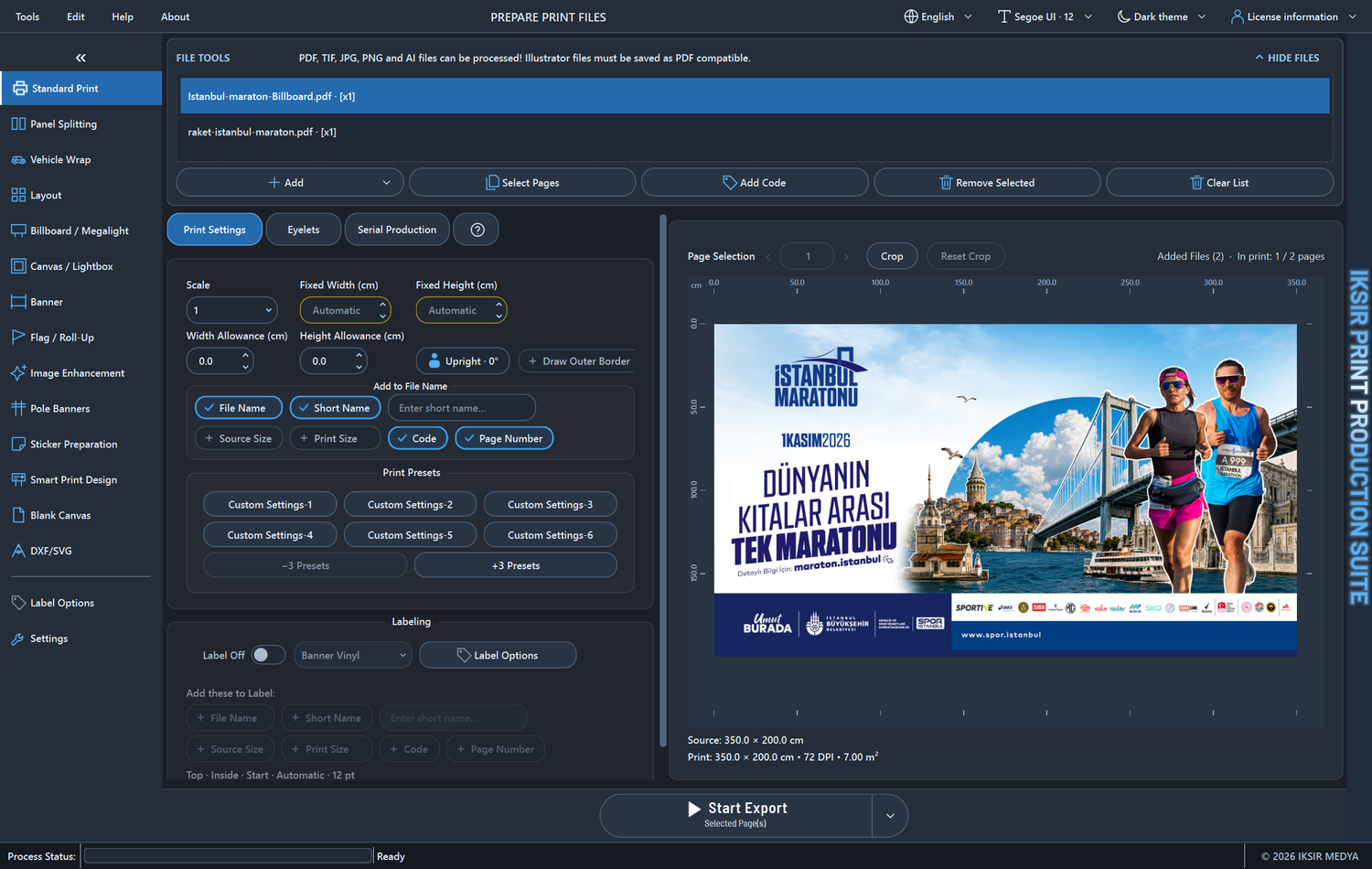
Prepare single or multi-page PDF, AI, TIFF, and raster jobs to exact dimensions, DPI, hem/fold margins, symmetrical grommet marks, and embedded CMYK ICC profiles in parallel.
Detailed Mode Guide & Specs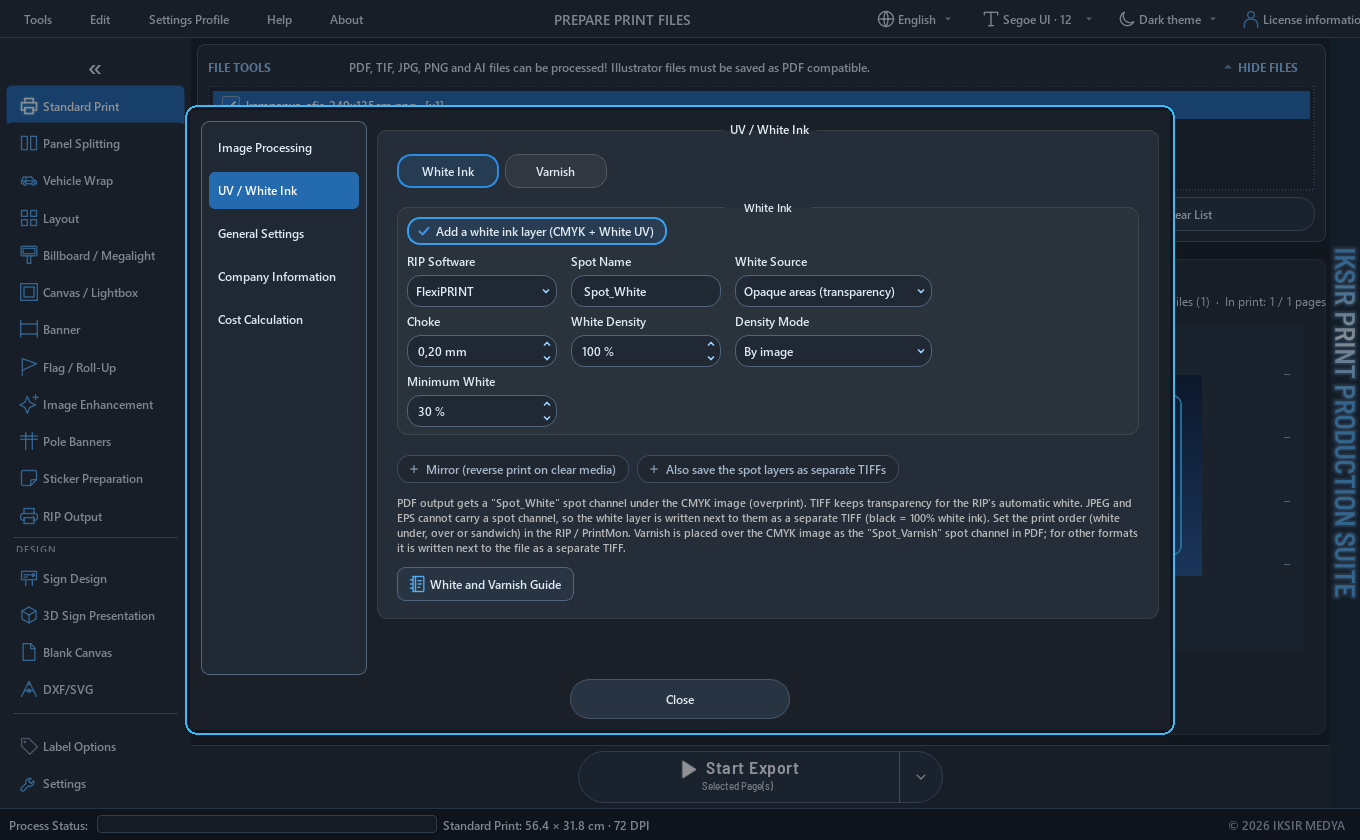 UV SPOT
A step-by-step guide to adding white ink and varnish layers to UV print files with IKSIR Print Suite: RIP setup, choke, density, reverse printing and output files.
Read the white and varnish guide02 · DESIGN FROM SCRATCH, 3D FACADE MOCKUP & AI UPSCALE
Build layered print artwork without external editors, present realistic day/night 3D channel-letter facade mockups with instant quotes, and upscale low-res client images 4×.
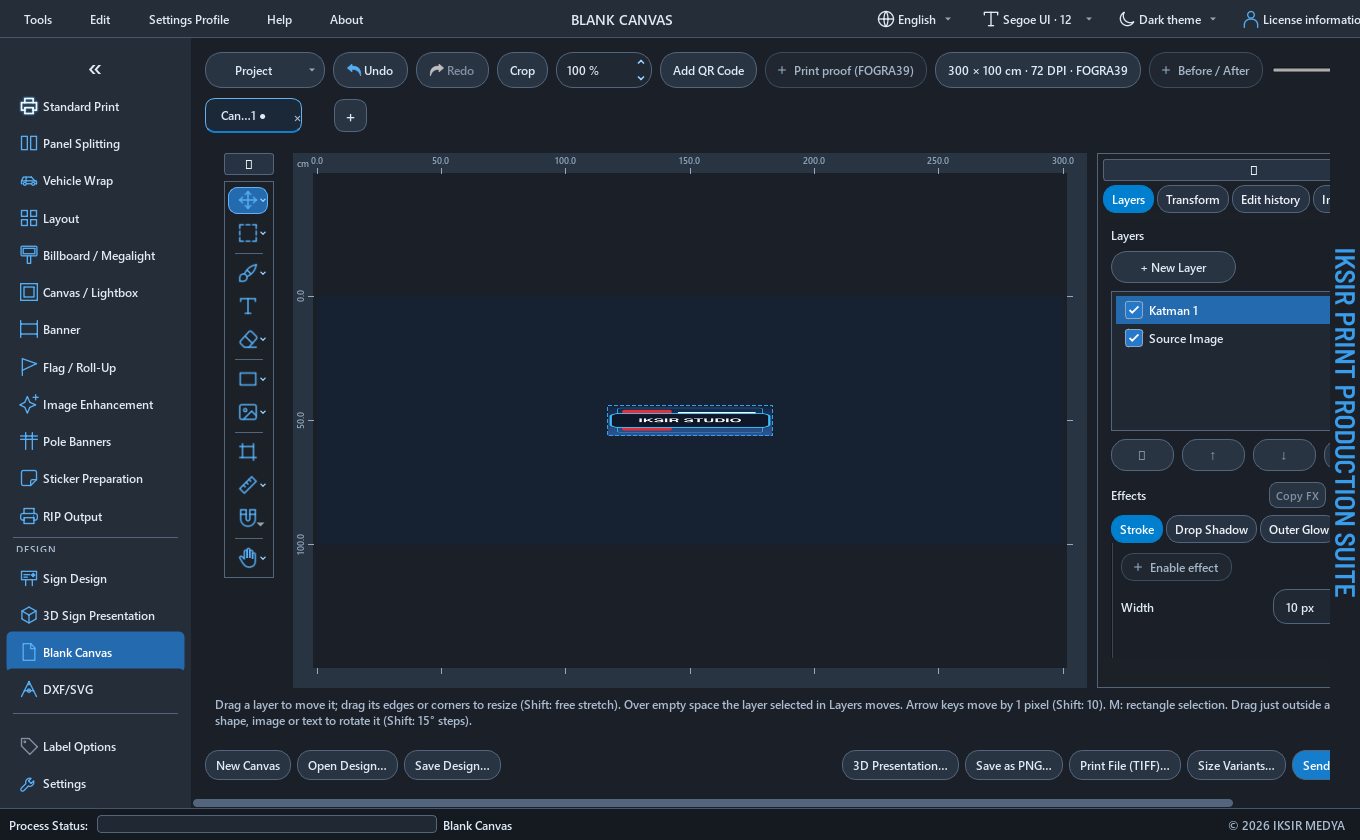 NEW
Open multi-tab canvases at exact cm/mm and DPI sizes; compose from scratch with layers, Brush, Clone Stamp, Heal, Magic Wand, Lasso, Vector Shapes, and magnetic ruler guides.
Detailed Mode Guide & Specs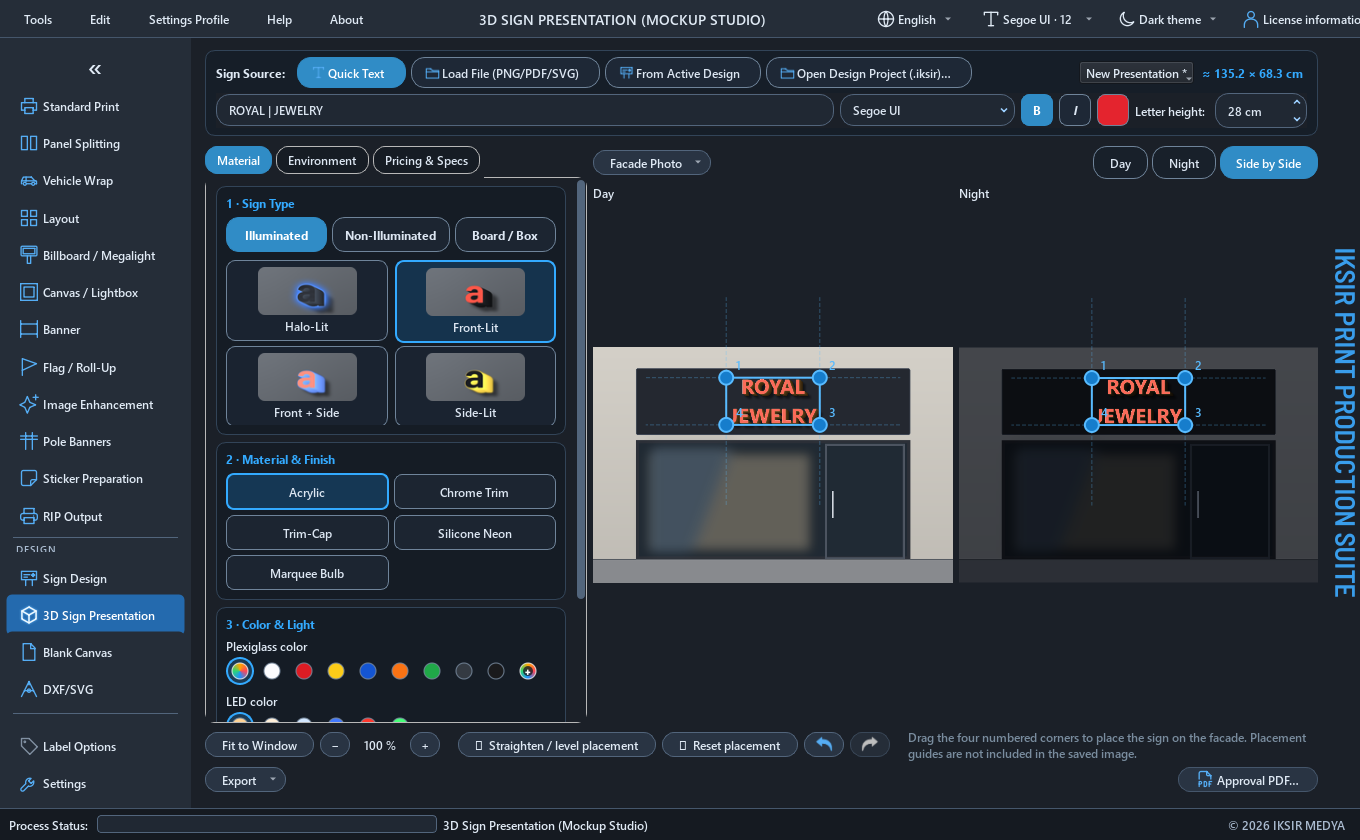 NEW
Type quick sign text or drop Corel/Illustrator PDF-SVG-PNG logos to render realistic day/night 3D channel letters, chrome-trimmed acrylic, and neon on client facades—complete with instant pricing and A4 Approval PDFs.
Detailed Mode Guide & Specs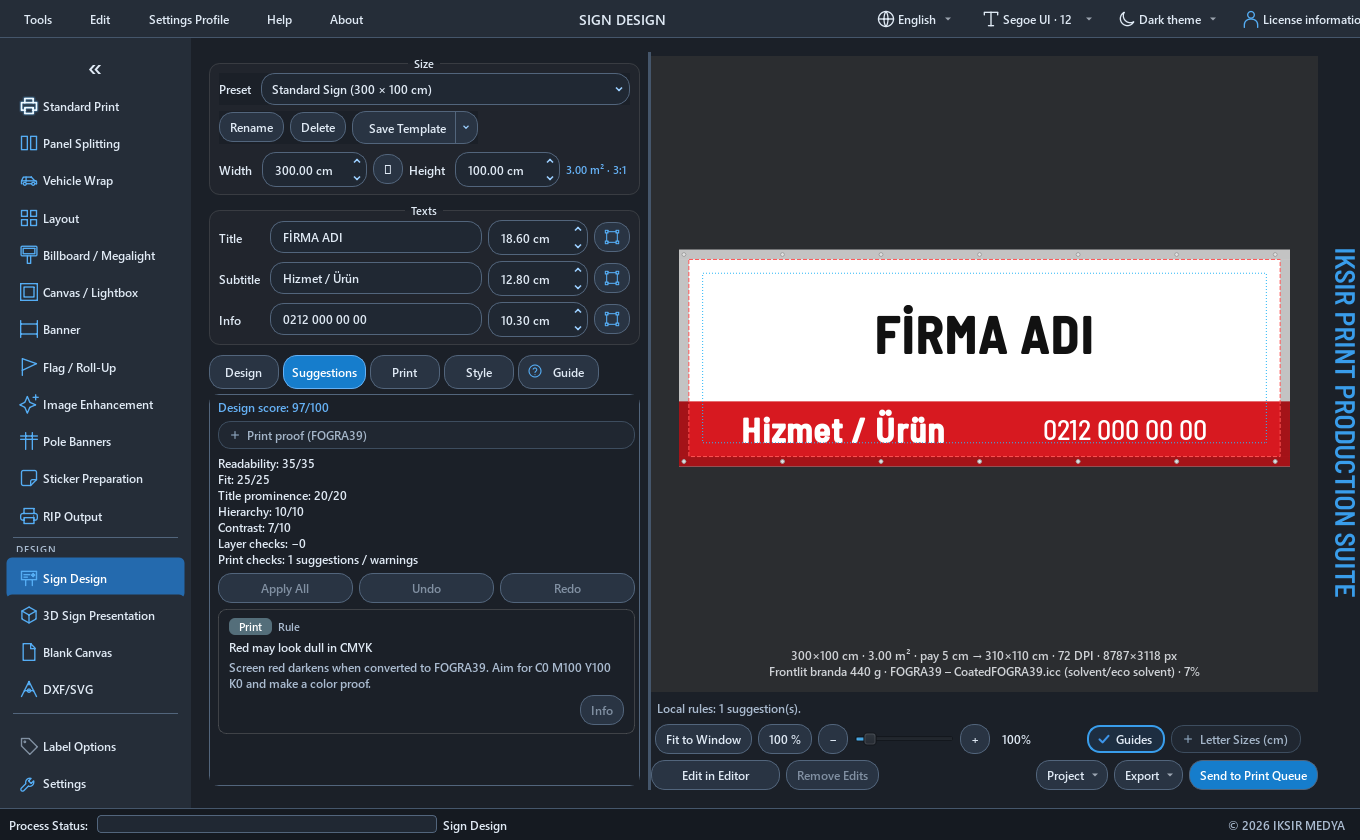
Enter dimensions and describe the sign in plain language or apply industry templates; verify 0–100 viewing-distance readability, live CMYK FOGRA39 soft-proof, vector PDF, and CNC cut output.
Detailed Mode Guide & Specs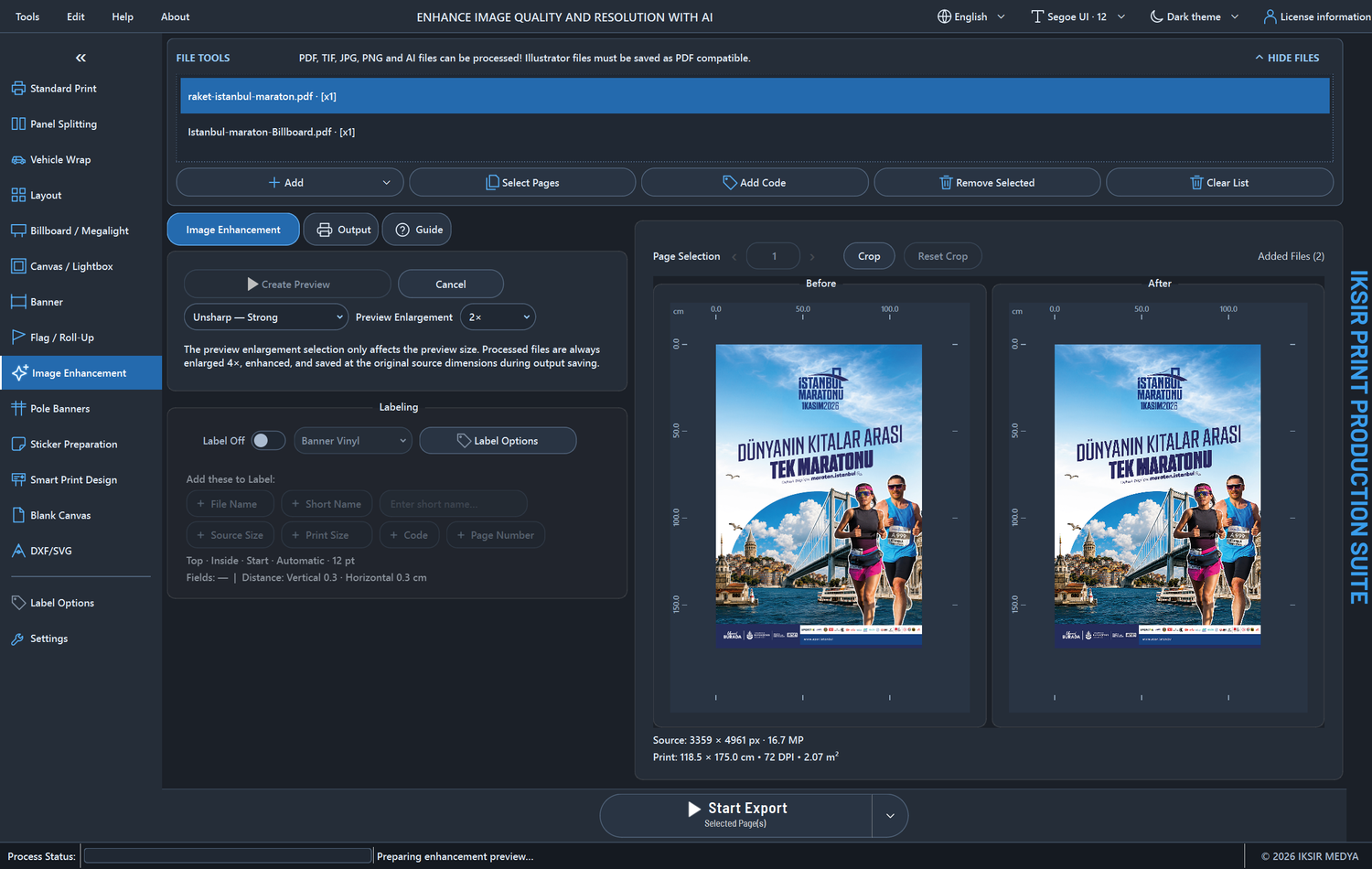
Turn pixelated WhatsApp photos, old logos, and low-DPI product crops into crisp large-format prints with 100% offline 2×/4× AI super-resolution and JPEG artifact removal.
Detailed Mode Guide & Specs03 · FACADE, VEHICLE WRAP & OUTDOOR PRODUCTION MODES
Automate overlap seams, window mullion deductions, door-handle no-seam zones, pole pockets, and synchronized A+B double-sided pole banner sleeves.
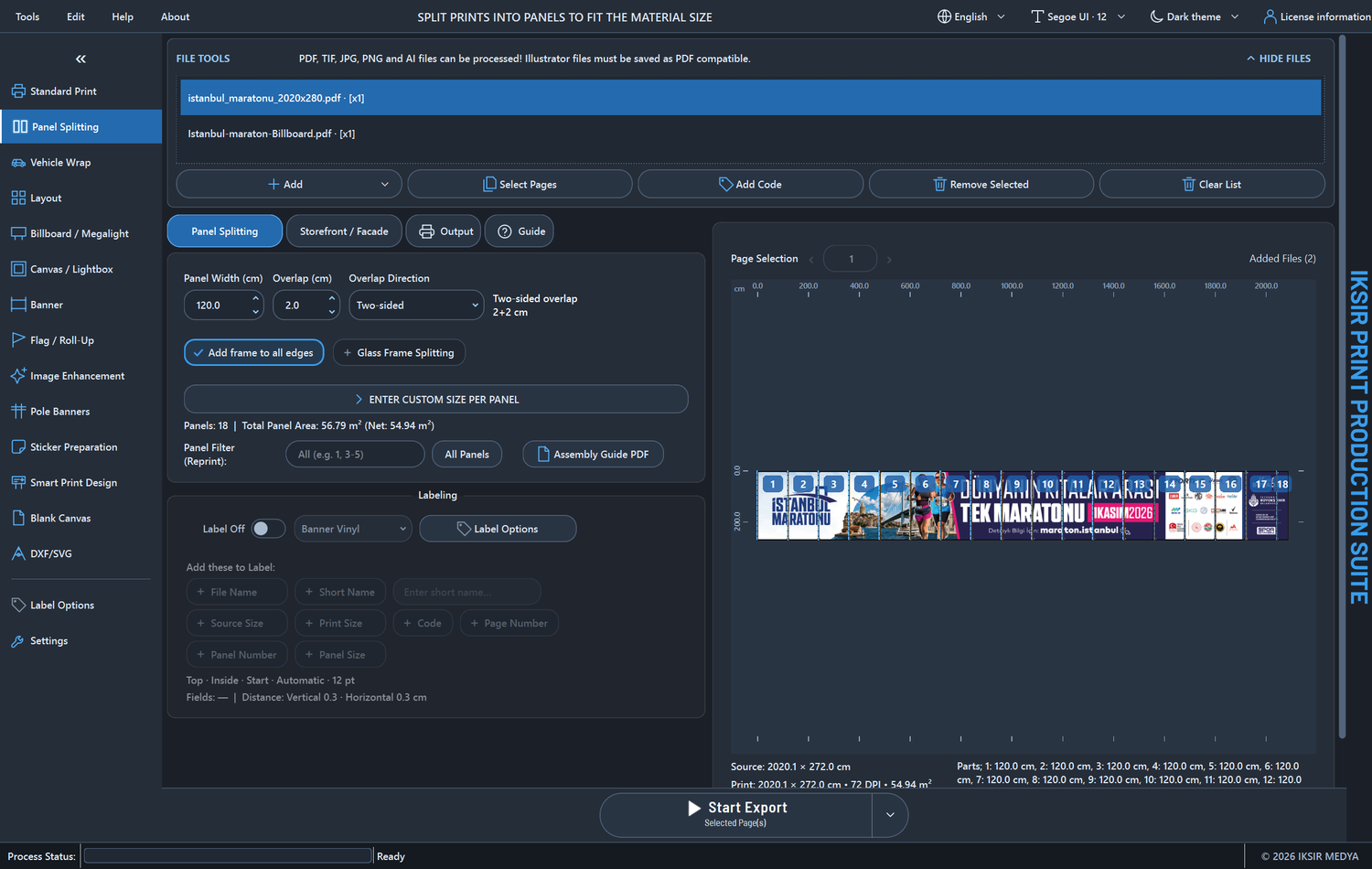
Tile oversized wall murals, building wraps, and backdrops into equal or custom-width panels with precise overlap seams and automatic "Panel 1/N" margin numbering.
Detailed Mode Guide & Specs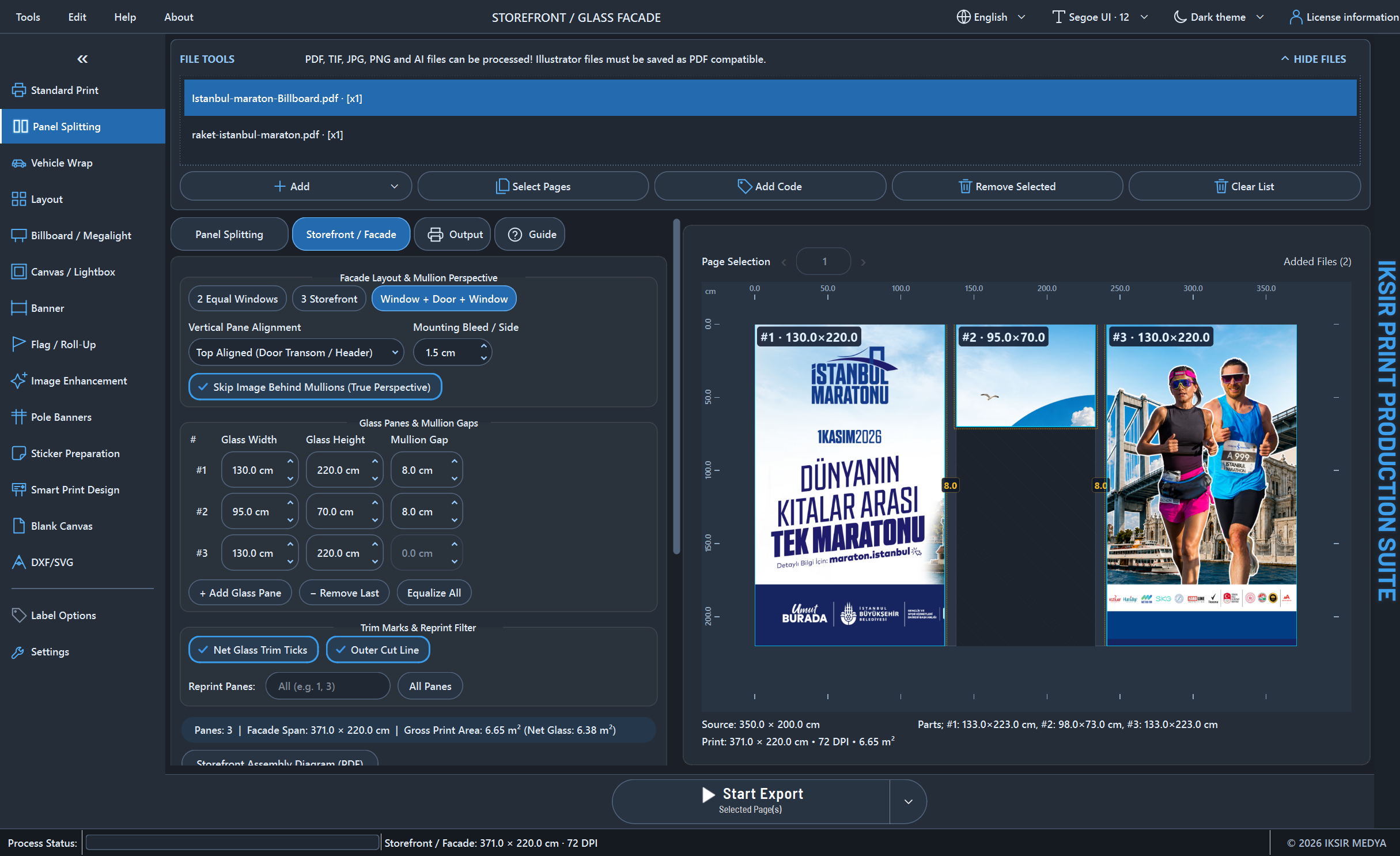
Model asymmetric shopfront glass panes and aluminum mullion bar gaps so graphics flow continuously across dividers—exporting pane-numbered prints and an A4 installation map.
Detailed Mode Guide & Specs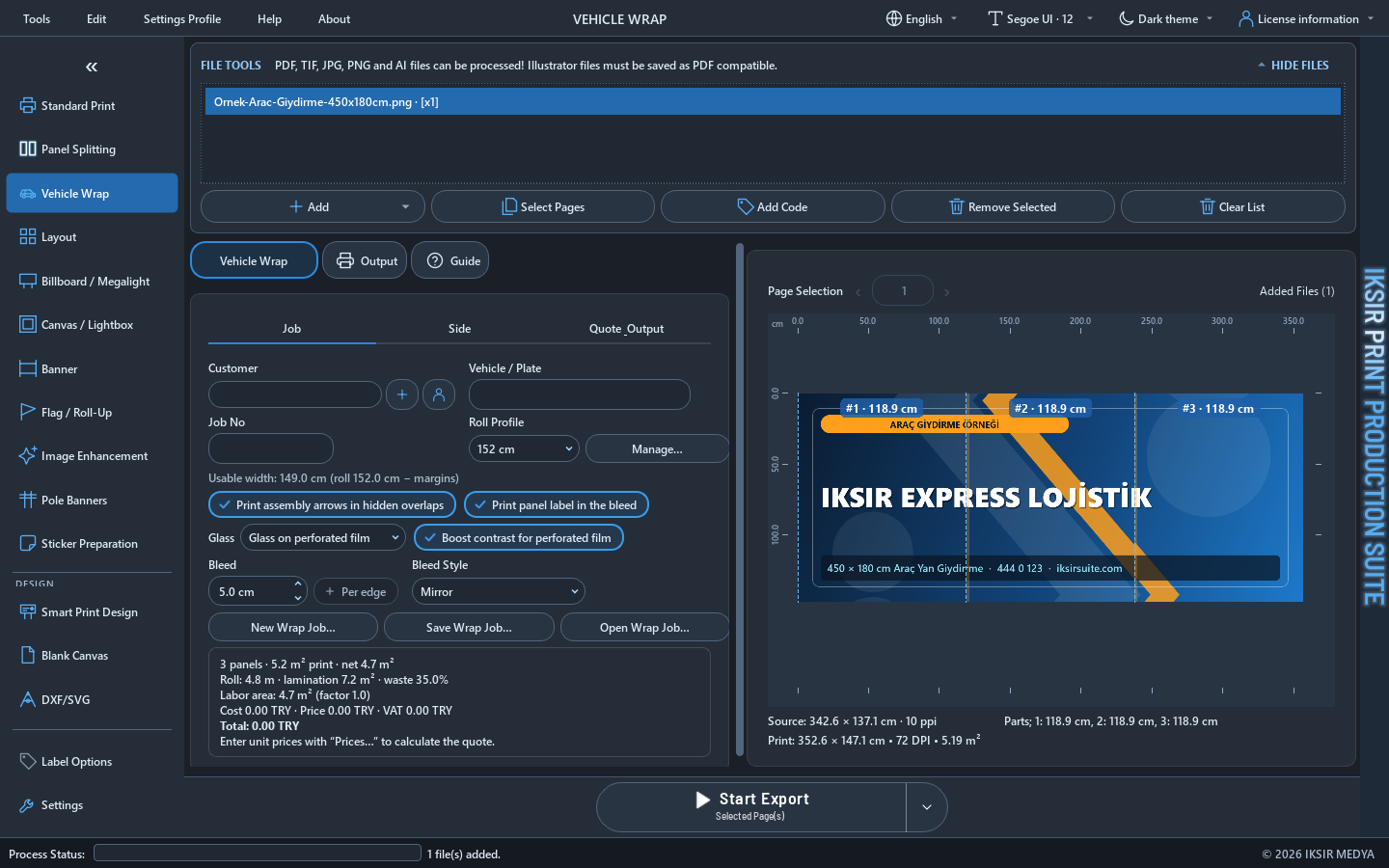
Prepare van, truck, and fleet wraps across 10 vehicle sides with channel bleed, door-handle no-seam zones, separate One-Way Vision window exports, photo mockups, and A4/A3 install maps.
Detailed Mode Guide & Specs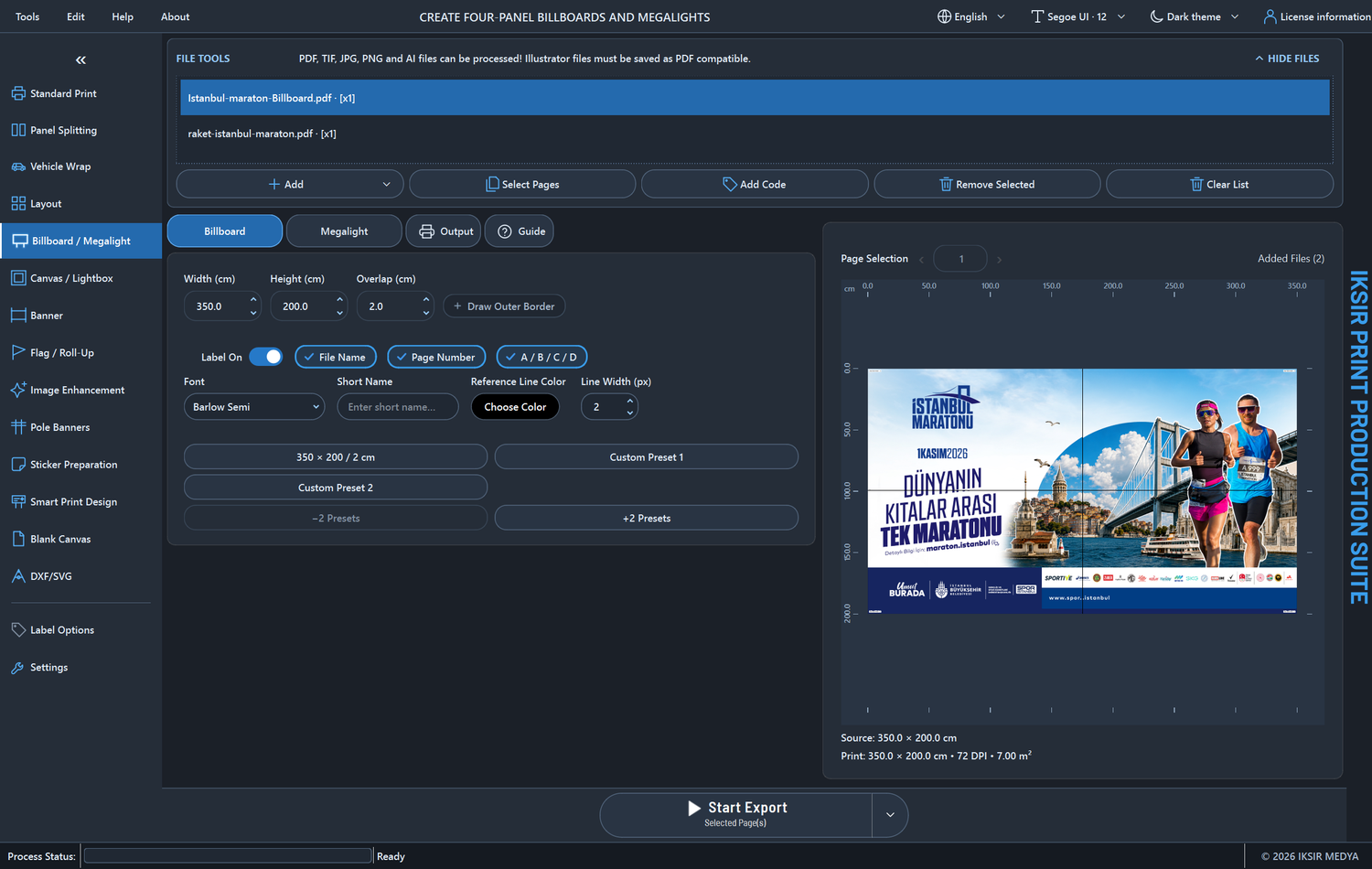
Prepare 4-, 6-, or 8-piece blueback/vinyl billboard posters and backlit Megalight/Raket CLP prints with 1:10 scale auto-detection and paste overlaps.
Detailed Mode Guide & Specs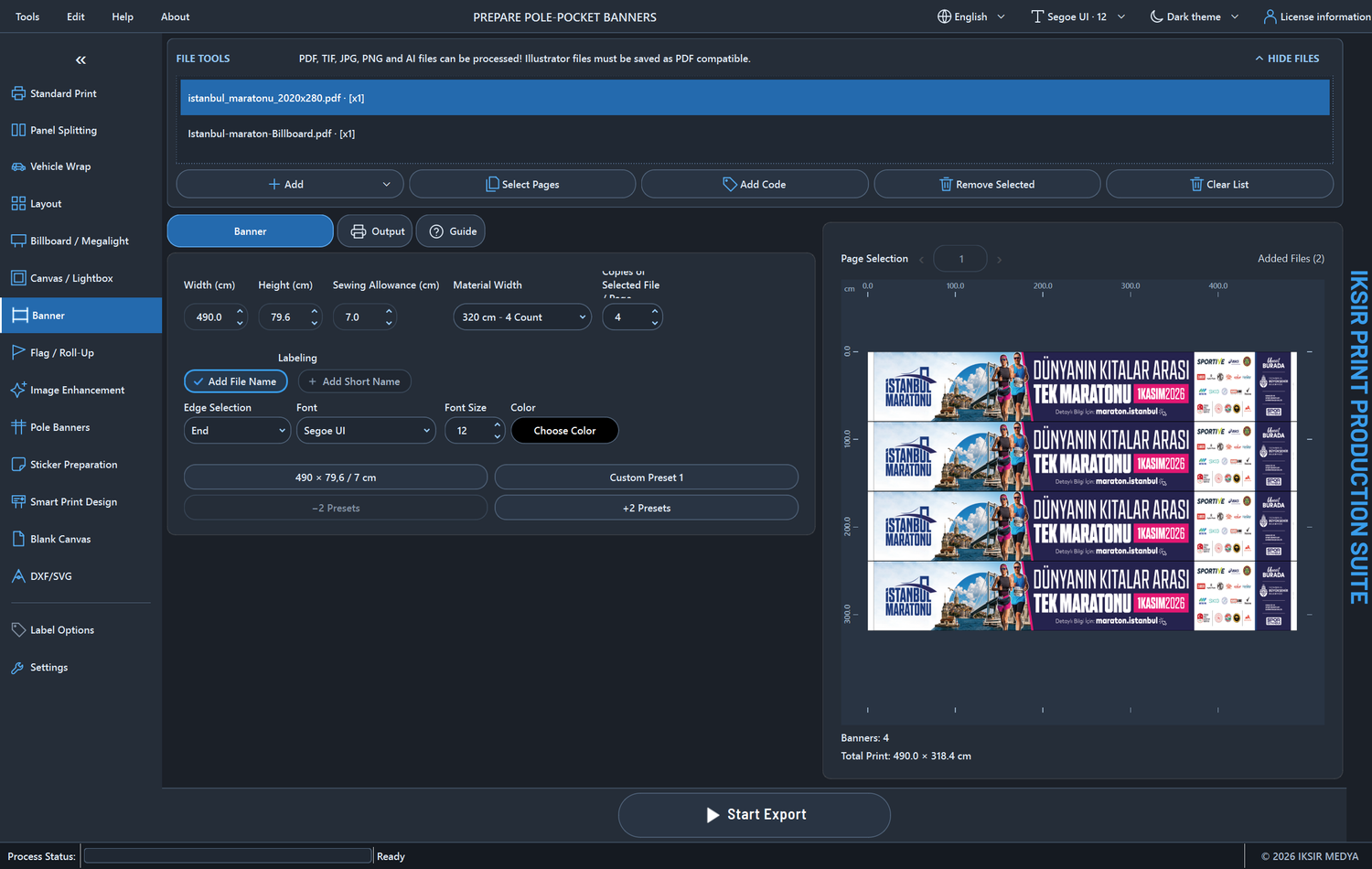
Prepare frontlit/mesh vinyl banners with 3–5 cm hem-welding folds, live visual eyelet (grommet) markers, wind-load spacing, and pole/rope pockets.
Detailed Mode Guide & Specs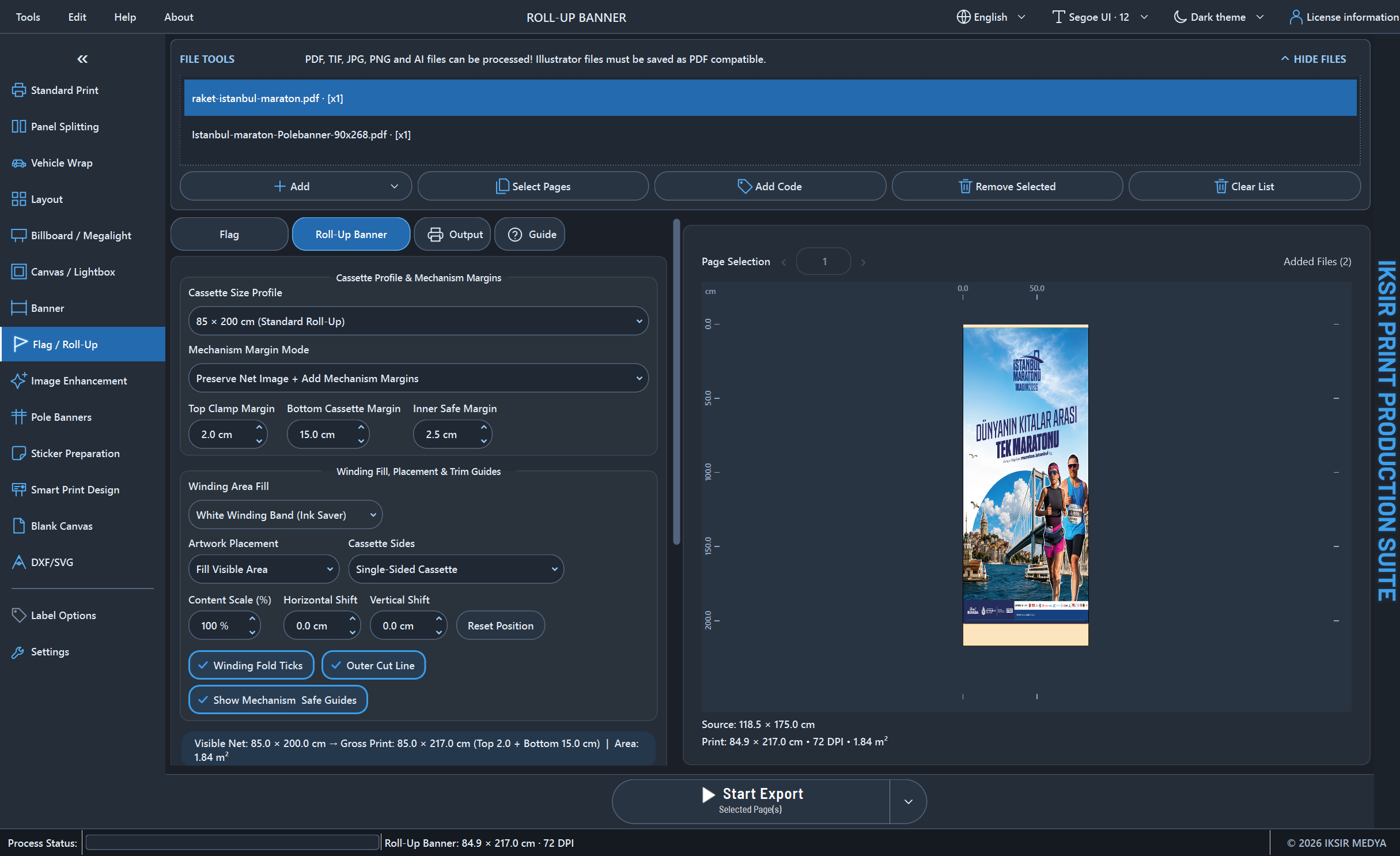
Prepare S/M/L/XL feather & teardrop flag templates with elastic pole-sleeve allowances, plus 85×200 / 100×200 Roll-Up banners with hidden bottom cassette bleed.
Detailed Mode Guide & Specs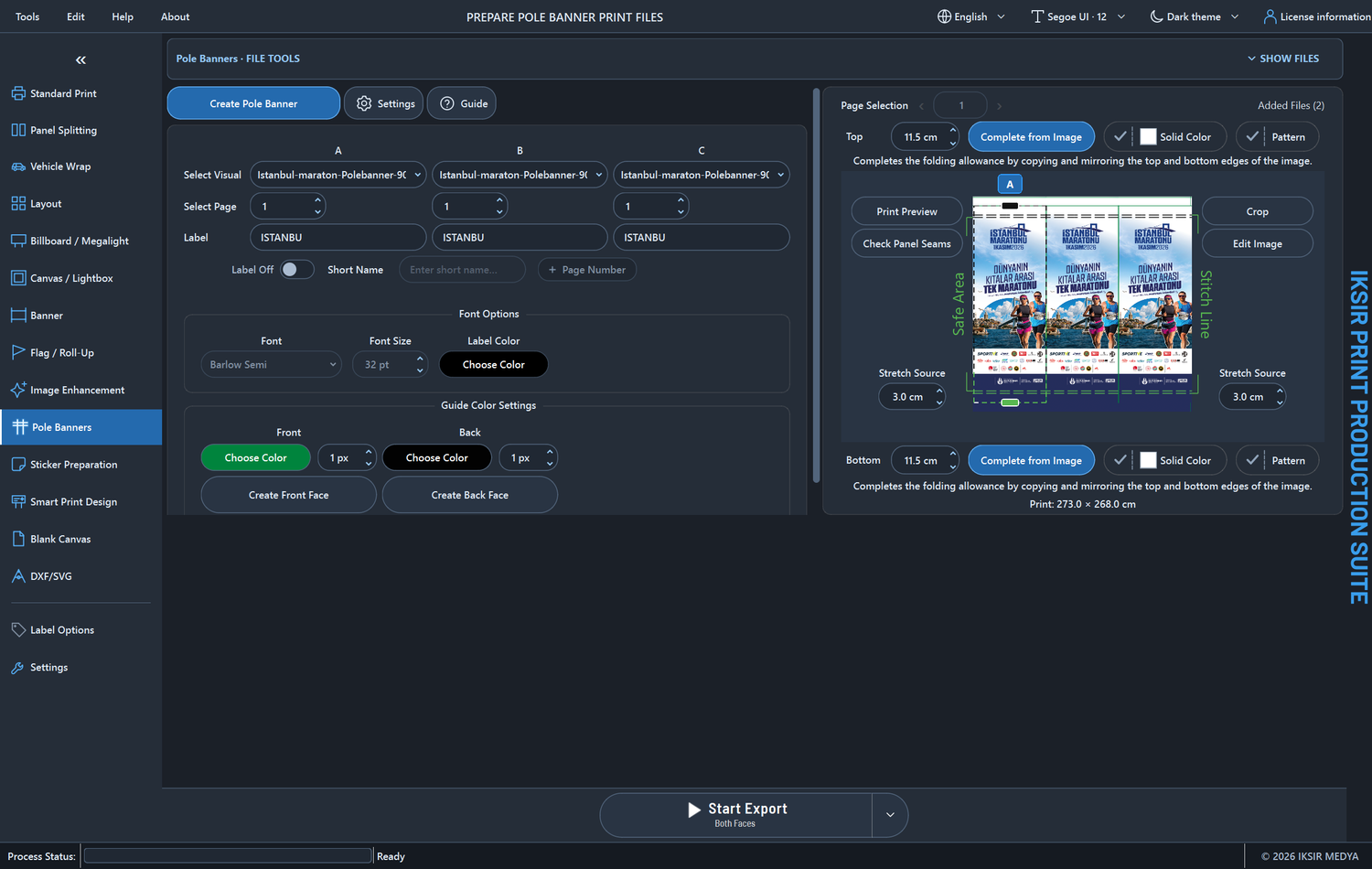
Prepare double-sided A+B municipal pole banners (50×120, 60×150, 70×170 cm) with top/bottom bracket pipe pockets, blockout registration, and serial sequence codes.
Detailed Mode Guide & Specs04 · ROLL NESTING, SERIAL VDP, CNC CUTTING & FRAME SYSTEMS
Cut material waste with auto-90° roll/sheet nesting, optical-mark sticker cut contours, ink-free back staple canvas wraps, and stretch-compensated SEG fabric frames.
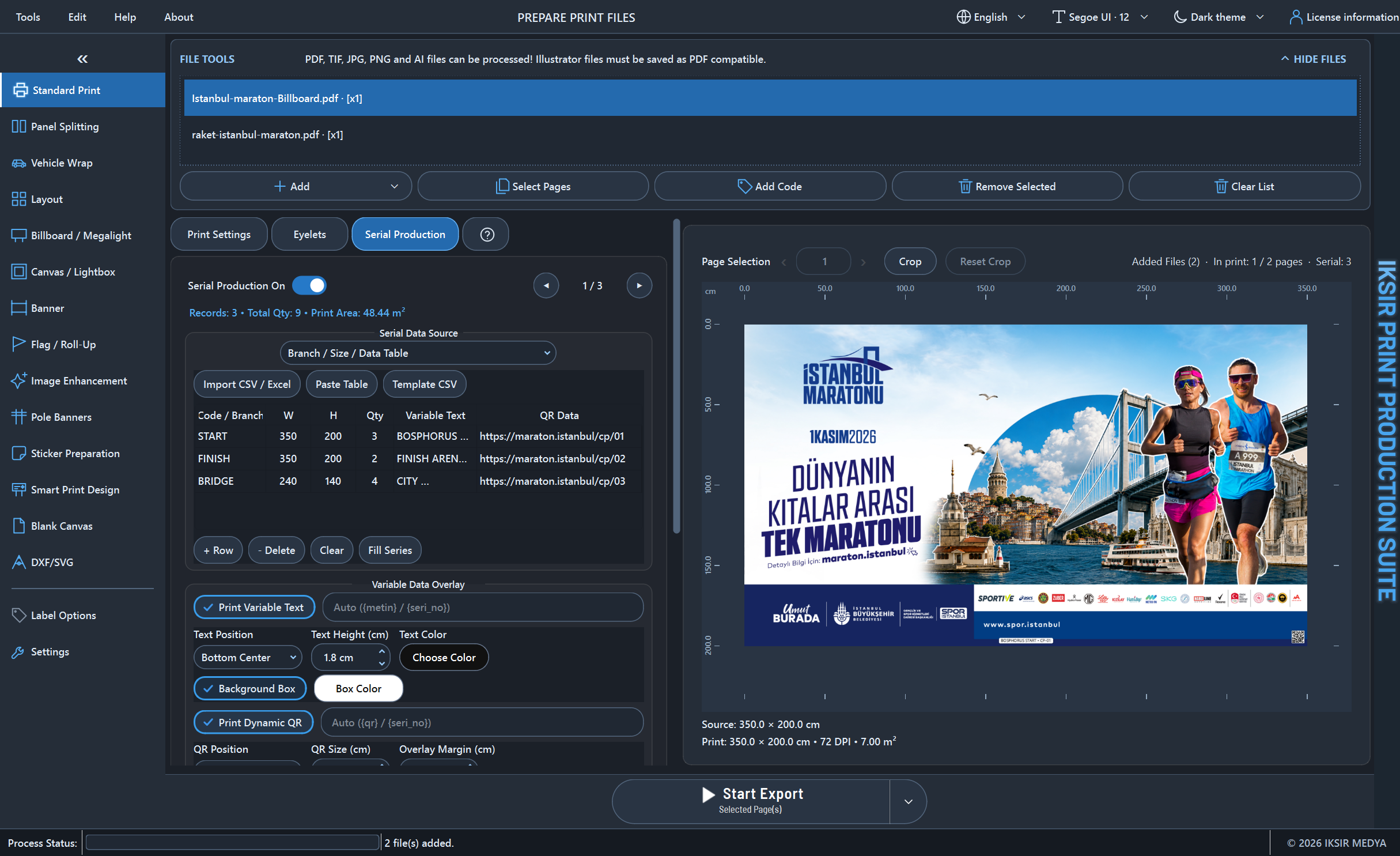
Import an Excel/CSV branch-size-quantity sheet or run a sequential counter to generate hundreds of custom-sized signs, variable prices/texts, and dynamic QR codes—then nest onto rolls in one click.
Detailed Mode Guide & Specs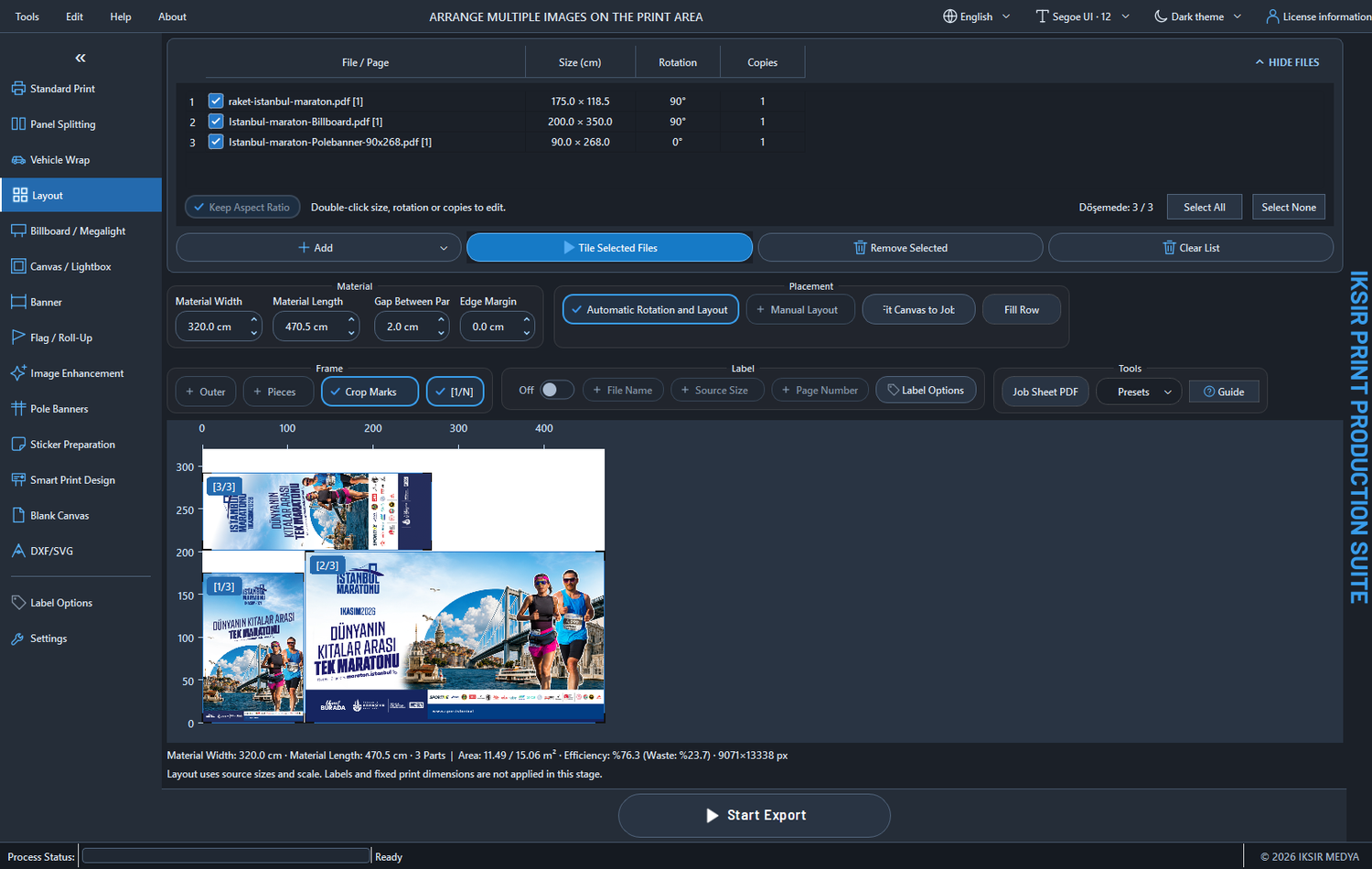
Pack mixed-size campaign jobs onto rolls or rigid sheets with automatic 90° rotation, bleed/cut gaps, Fotoba marks, and real-time waste % reporting.
Detailed Mode Guide & Specs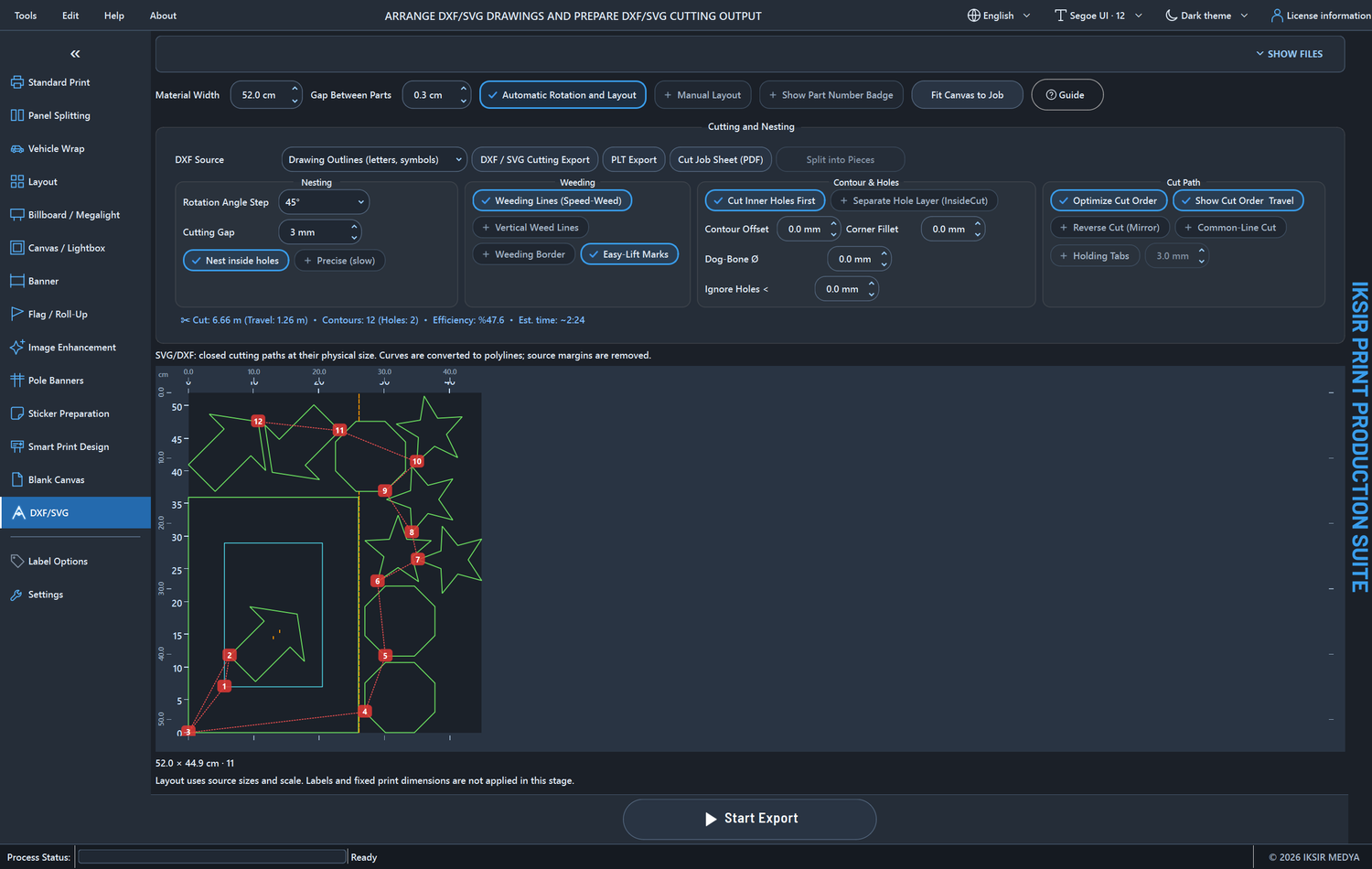
Clean up open contours, compensate tool kerf, nest vector shapes onto acrylic/composite sheets, and export clean R12/2000 DXF or SVG cut files.
Detailed Mode Guide & Specs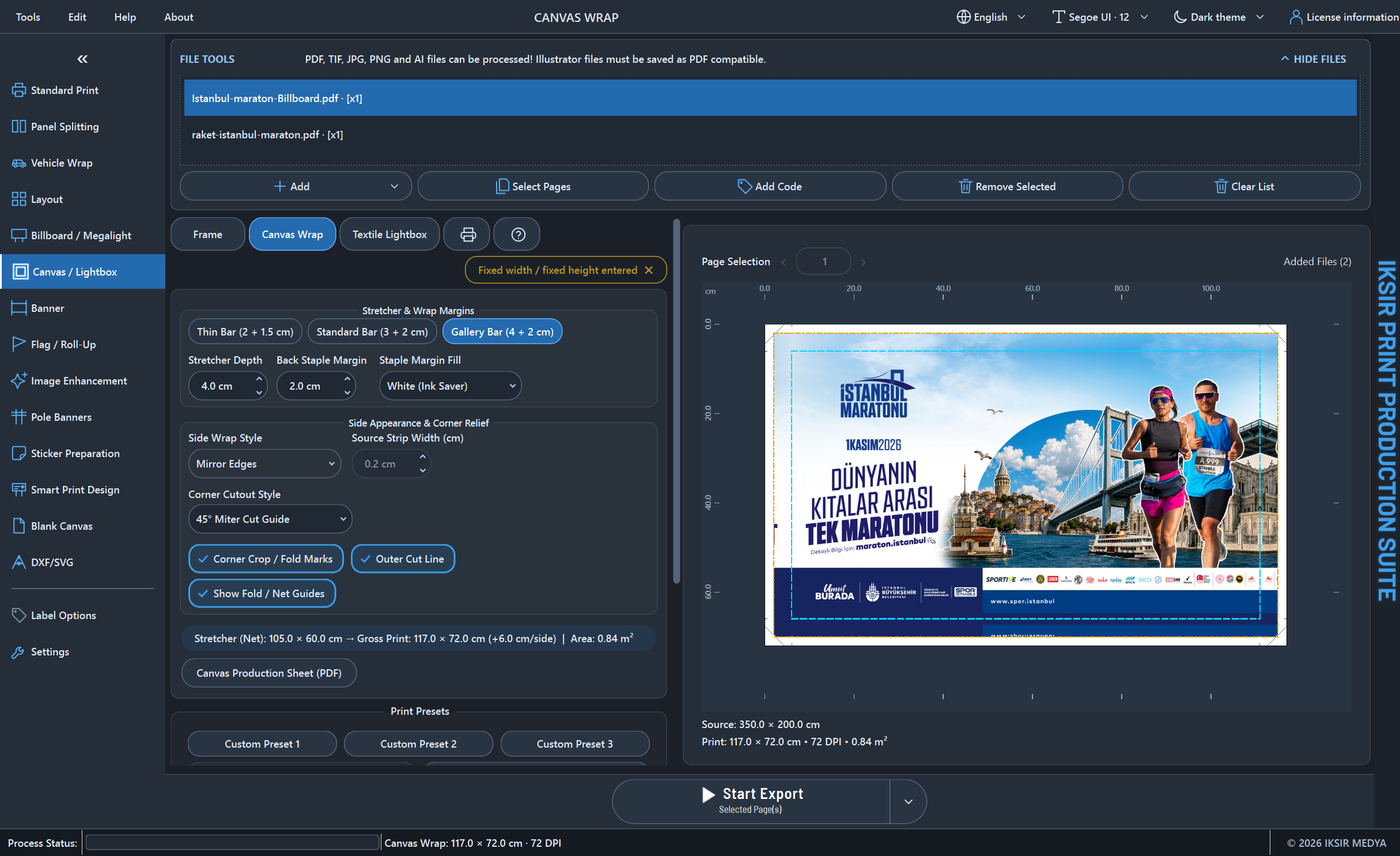
Generate mirrored, stretched, or solid-color side wraps for 2 cm, 3 cm, and 4 cm wooden stretcher bars with corner fold cutouts and ink-free back staple flaps.
Detailed Mode Guide & Specs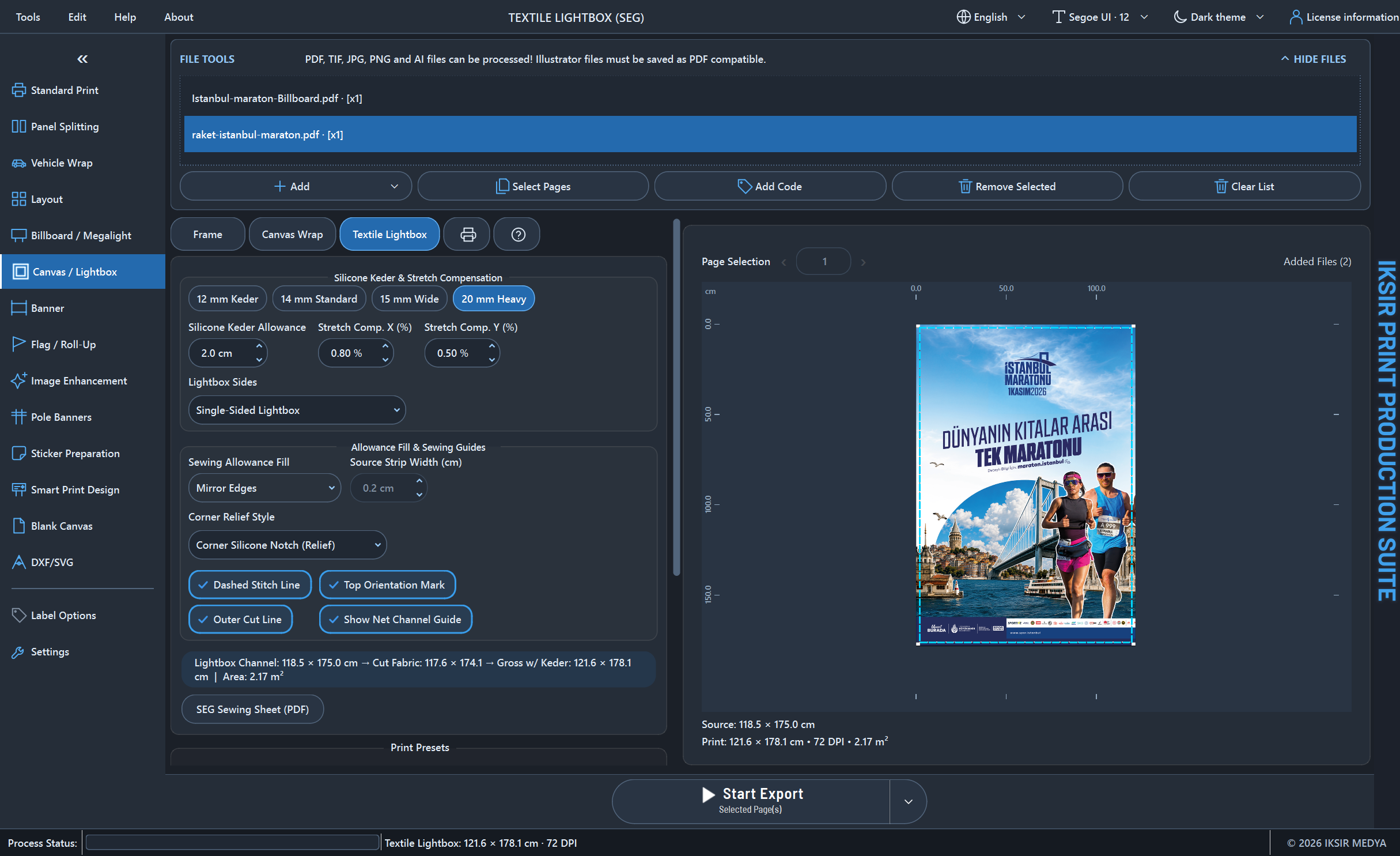
Compensate fabric stretch %, add 12–14 mm silicone keder sewing allowances with sewing-guide lines, and verify backlit color density for aluminum SEG frames.
Detailed Mode Guide & Specs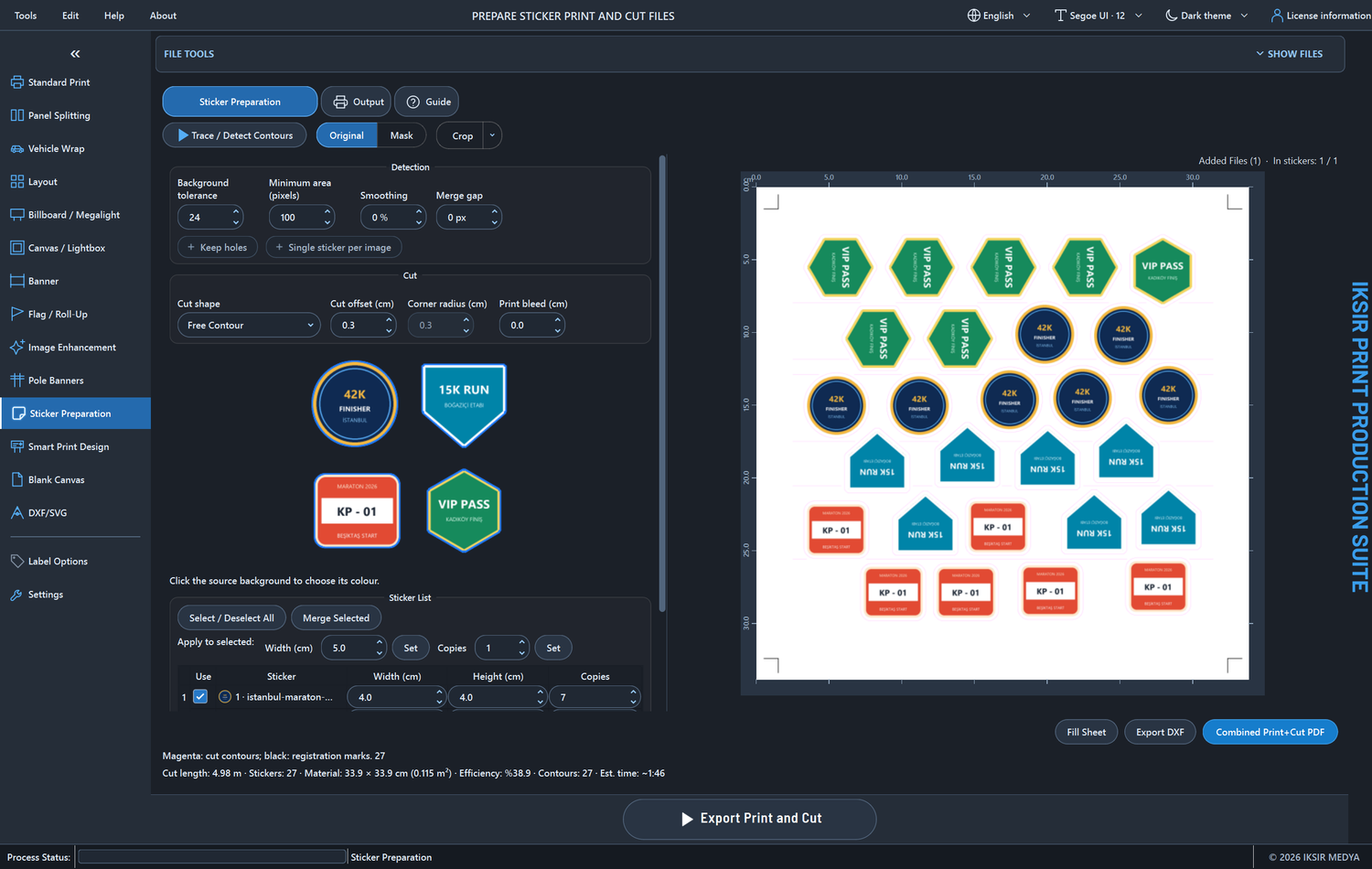
Generate smooth offset CutContour paths around transparent PNGs/PDFs automatically, nest stickers onto rolls or A3+/SRA3 sheets, and add optical plotter registration marks.
Detailed Mode Guide & SpecsSAMPLE OUTPUTS & CALCULATORS
Enter job dimensions, quantity, and roll width to calculate automatic panel splits or multi-up nesting, exact roll meters, waste percentage, and grommet count.
Find the ideal output DPI, required canvas pixels, minimum readable letter height, 1:10 Illustrator/PDF scale export rule, and whether an existing client image needs 4× AI upscaling.
No need to hunt for test PDFs after installing; click "Try with Sample Artwork" inside any mode to load a real-scale job and inspect the output immediately.