İIKSIRPRINT PRODUCTION SUITE

01 · VEHICLE WRAP SOFTWARE

Vehicle Wrap Paneling, No-Seam Zones, Photo Mockup & Live Quotes

Manage all 10 vehicle faces per job, keep seams clear of handles and trim, extract One-Way Vision window files automatically, win client sign-off on real photos and issue profitable m² fleet quotes.

Vehicle Wrap: 10 Faces, No-Seam Protection, Photo Mockup & Automatic Quotes

Panel sedans, vans, buses and commercial fleets to match your roll width; protect door handles and windows from panel seams, present realistic perspective mockups on vehicle photos, and compute profitable multi-vehicle quotes automatically.

10 Vehicle Sides, Roll Profiles & Install Axis

PANELING & ROLLS
  • Manage left side, right side, rear, front, hood, roof, trunk, bumper, mirror and spoiler faces within one job, with automatic side detection from filenames.
  • Calculate usable roll width (roll width minus side margins), switch between vertical stripes or horizontal runs, and add hidden-overlap assembly arrows plus bleed-margin labels.
  • Configure mirror, edge-stretch or solid-color bleed uniformly or per edge in centimeters/millimeters.
  • Drag seam boundaries directly on the live preview to adjust custom panel widths or reset to your roll width in one click.
No-Seam Zone Protection & Perforated Window Film Split

SHOP FLOOR SAFETY
  • Mark door handles, body trim, fuel caps and wheel arches as No-Seam Zones so panel splits stay clear of difficult recessed contours.
  • Designate side and rear glass areas to automatically split window zones into separate One-Way Vision (perforated film) print files.
  • Enable perforated-film contrast enhancement so printed graphics remain vivid once applied onto perforated vinyl.

Perspective Vehicle Photo Mockup

CLIENT APPROVAL
  • Open a real photo of the customer’s vehicle and map queued side designs using four interactive corner pins.
  • Preserve natural vehicle lighting and shadows over the wrap and simulate perforated window visibility realistically.
  • Export as standalone PNG, side-by-side Before/After comparison image, or a Customer Approval PDF ready to share for sign-off.

Live Fleet Quoting & A4/A3 Installation Map PDF

QUOTES & INSTALL MAPS
  • Set unit costs per m² for cast vinyl, lamination, printing, side-difficulty labor multipliers, old wrap removal, perforated film, profit margin, fleet discounts and VAT.
  • Monitor net area (m²), roll linear meters, waste percentage (%) and itemized price totals on every preview update.
  • Generate company-branded A4 or A3 Installation Diagram PDFs detailing numbered panels, cut widths, no-seam zones and install order.
See all 19 modules in Technical GuideLaunch calculator: How Many Meters of Vinyl or Banner Will This Job Use?

13 MODES · REAL-SCALE RIP TEST PACKS

Verify Directly in Your RIP Software or IKSIR

Download both the clean source artwork and IKSIR’s production output (with overlap seams, sleeve folds, grommets, and print labels) to verify physical dimensions in Onyx, Caldera, VersaWorks, PhotoPrint, or Maintop.

Try with Sample Artwork450 × 180 cm

Vehicle Wrap

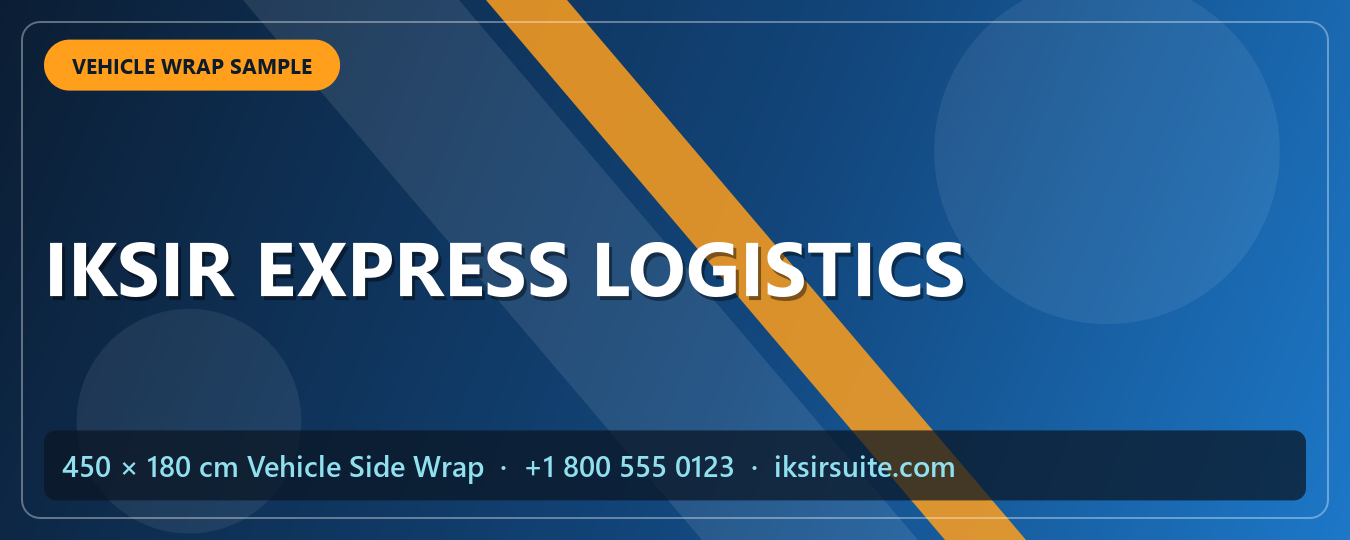
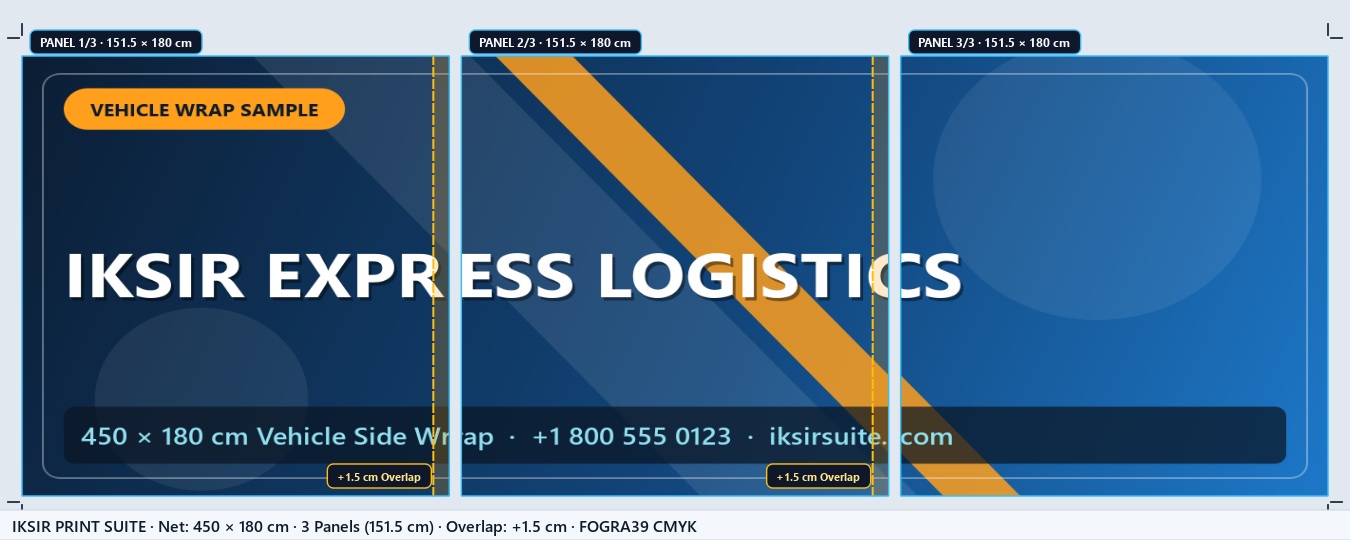
450 × 180 cm side-wrap artwork automatically tiled across 152 cm vinyl rolls with +1.5 cm overlap seams.

  • 450 × 180 cm Net
  • 3 Roll Panels + 1.5 cm Overlap
  • Panel 1/3 · 2/3 · 3/3 Labels
Vehicle Wrap — Raw Sample
Raw Sample
Vehicle Wrap — IKSIR Output
IKSIR Output

LIVE ROLL, PANEL & WASTE CALCULATOR

How Many Meters of Vinyl or Banner Will This Job Use?

Enter job dimensions, quantity, and roll width to calculate automatic panel splits or multi-up nesting, exact roll meters, waste percentage, and grommet count.

Quick Job Presets:
Roll Split / Imposition3 panels (151.0 × 183.0 cm)Auto Panel Splitting
Required Roll Length5.49 m152 cm × 5.49 m
Net / Gross Area & WasteNet 8.10 m² / Gross 8.34 m²97% yield · 2.9% waste
Total Grommets—No grommets configured
Live Roll Layout Schematic152 cm Roll
Panel 1/3 · 151.0 × 183.0 cm

Frequently Asked Questions

How does No-Seam Zone protection prevent bad vinyl joints?

Mark handles, fuel caps, molding trim or wheel arches directly on the wrap preview; if a roll panel boundary lands inside a marked obstacle, IKSIR warns immediately so you can drag the seam into a flat panel area.

Can I separate side and rear windows for perforated One-Way Vision film automatically?

Yes. Define glass polygons once per vehicle face and IKSIR exports separate One-Way Vision print files with optional contrast boost alongside cast vinyl body panels.

Related Print Solutions

Try every workflow for 21 days with your own files.

All processing runs locally on your PC—executing Photoshop macro-style workflows instantly and error-free inside ready-made templates without recording macros.